Police Verification - Tenant
7 min
Police Verification for Tenants is an important legal and safety procedure that helps Organisation Admins and Property Managers ensure the security of the property and the neighborhood. It is the process of submitting a tenant’s identity and background details to the local police for verification. This includes checking if the individual has a criminal record or any history of illegal activities.
Benefits Of Police Verification
- Checking the tenant's background.
- Meeting legal requirements (mandatory in many areas).
- Preventing fraud or illegal activities.
- Protecting property and other residents.
- Creating a police record for accountability.
Login To Your Account
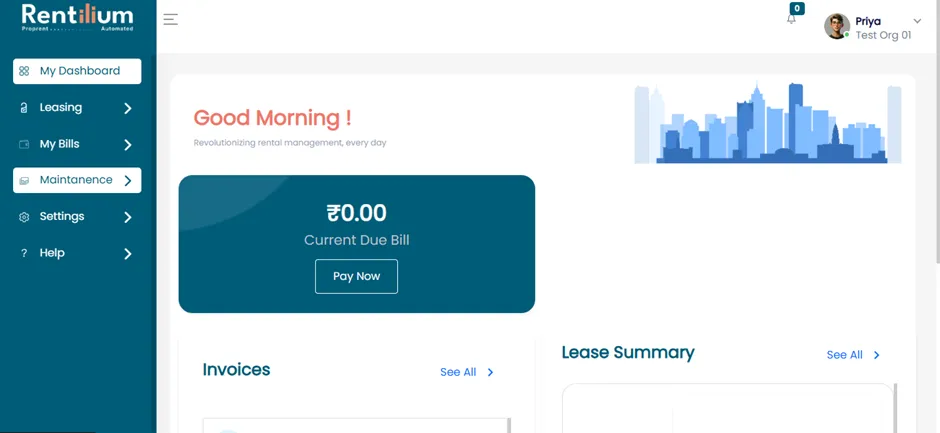
- After a successful login, move to the Maintenance section.
Move To Police Verification
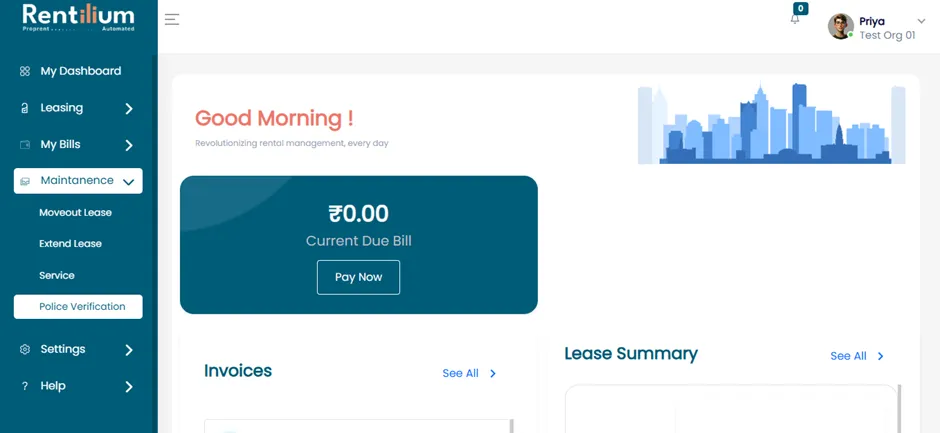
In the Maintenance section, you will see four options:
- Moveout Lease
- Extend Lease
- Service
- Police Verification
Click on the Police Verification section.
Generate Police Verification Document
- Now, select the Re-generate button for the verification process.
- The Police Verification page will open.
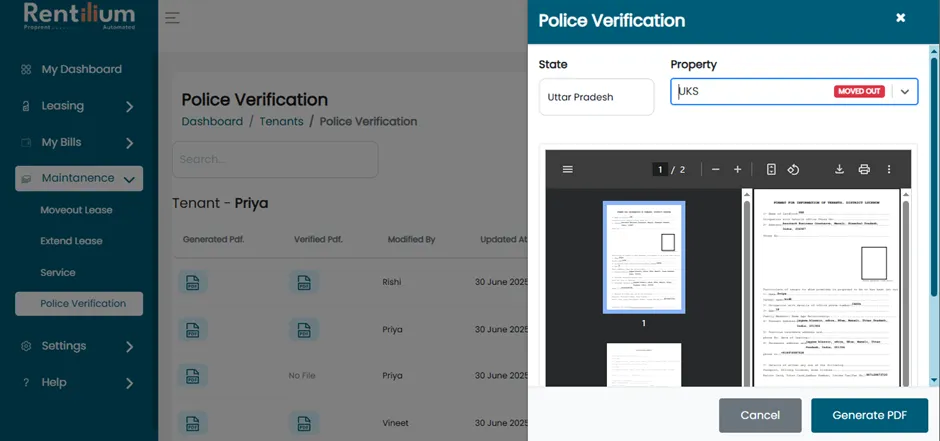
- Click on the Property dropdown to display a list of properties.
- Select your active property.
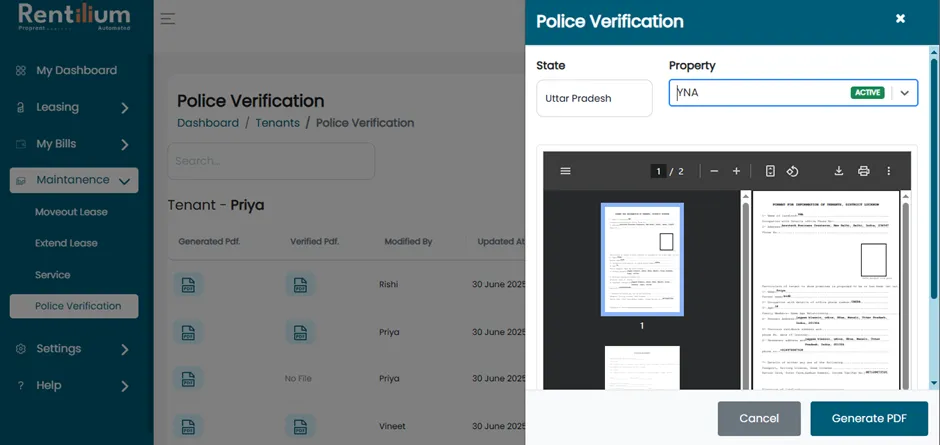
- Review all the required fields.
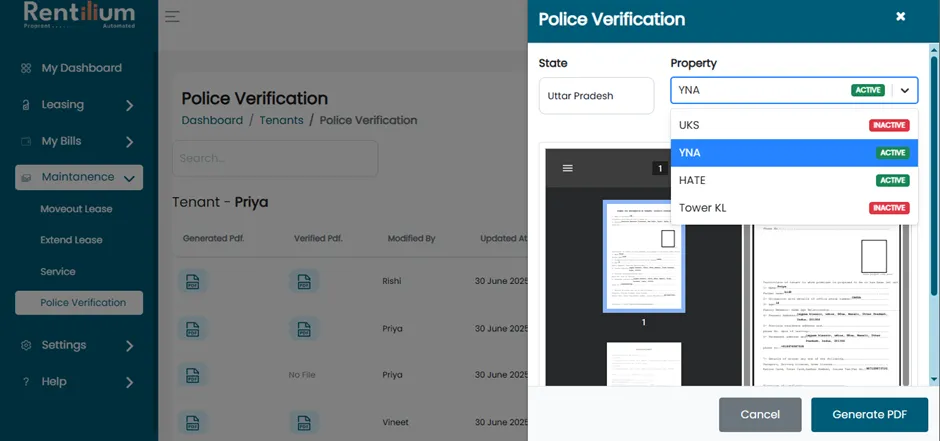
- Once all the required fields are reviewed, click the 'Generate PDF' button to proceed.
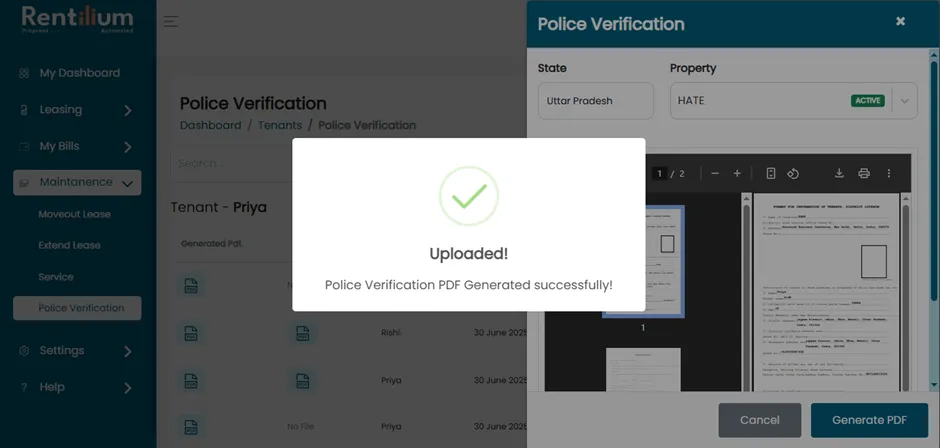
- A pop-up will confirm: “Police Verification PDF generated successfully.”
Upload Verified Document
In this section, tenants will see three statuses:
- Not Verified
- Generated but Not Verified
- Rejected or Verified
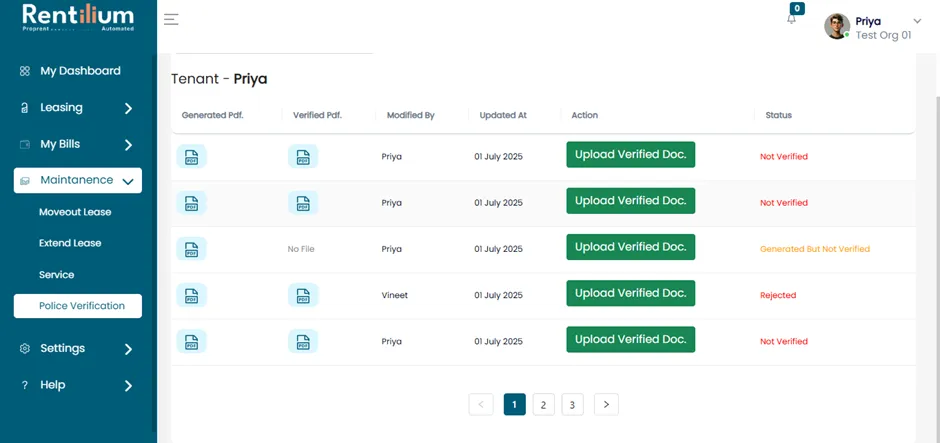
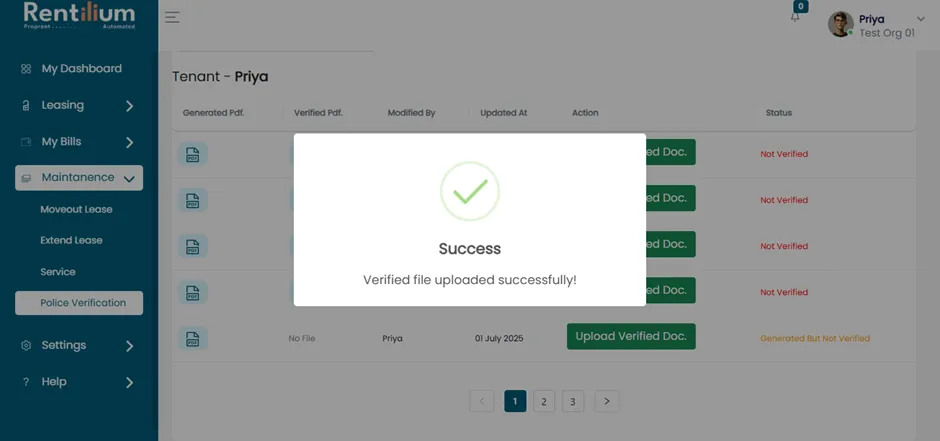
- Upload the verified police verification document.
- After uploading, a pop-up message will confirm: "Verified file uploaded successfully."
Edit Profile
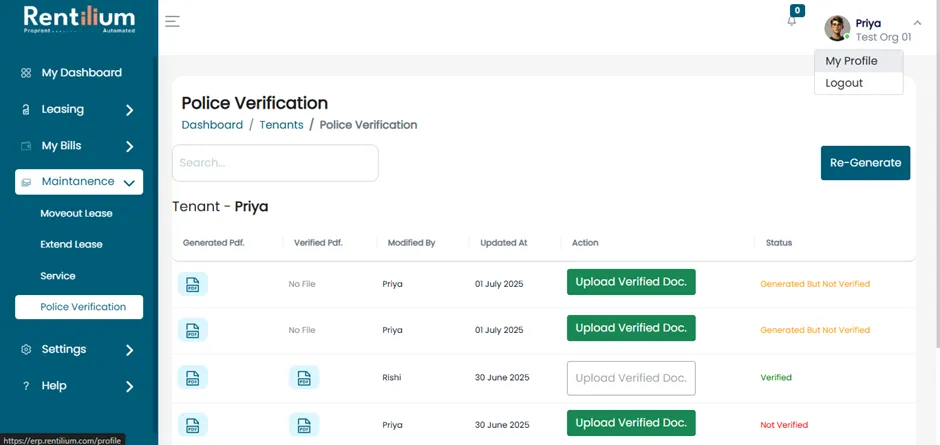
If you wish to edit your profile, click on My Profile.
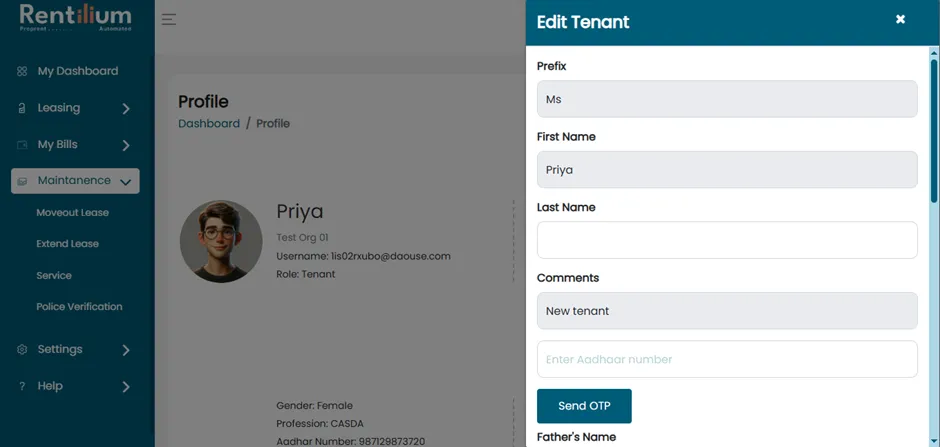
- Then click on the Edit Profile button. The Edit Tenant page will open.
- Update the required information.
- After filling all the required data click on update Option.
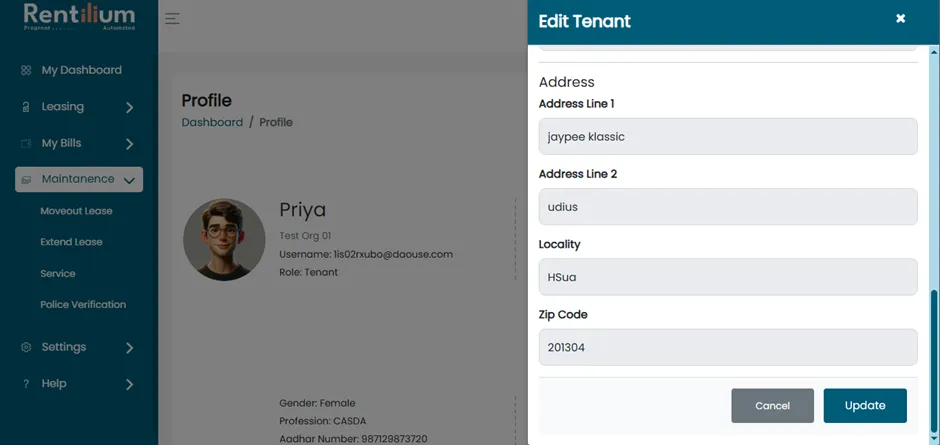
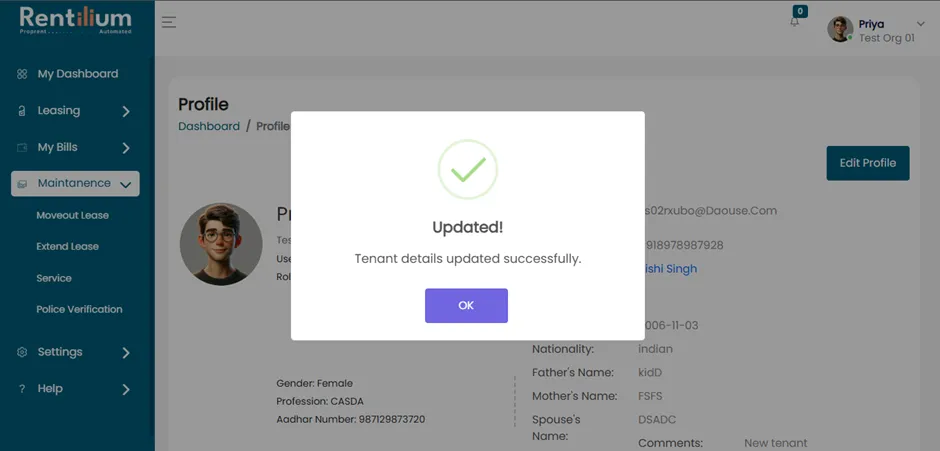
- After clicking on the Update Option, a pop-up will confirm that the Tenant Details have been Updated Successfully.