Due Invoices
6 min
This document explains how to check and generate your due invoices from the My Action section. The purpose of the My Action section is to make the work of the Organization Admin simple. It shows the important tasks first so that the admin does not miss anything. One of the most important items here is Due Invoices, because these invoices need to be generated on time so that the organization can receive payments from tenants without delay.
By following the steps below, User can easily see all pending invoices and generate them whenever needed.
Login To Your Admin Account
- Upon successful login, you will be directed to the Admin Dashboard.
- Now go to the My Action section.
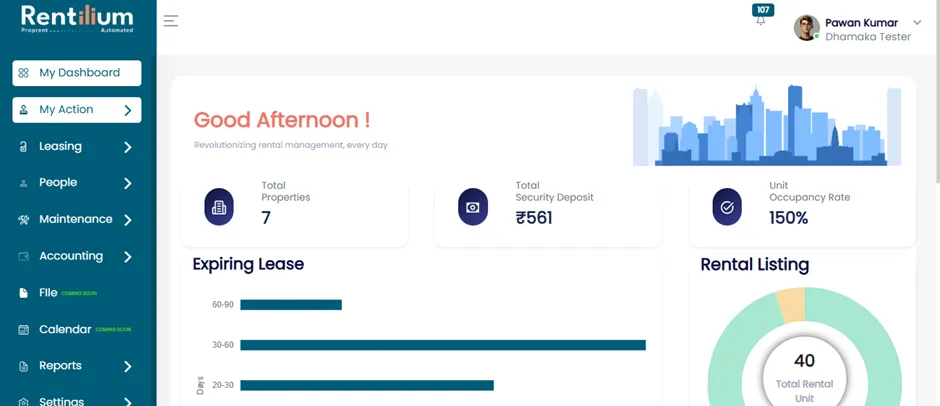
Go To The "My Action" Section
On the Admin Dashboard, click on the "My Action" section.
This section includes:
- Renewal Request
- Vacant Request
- Police Verification
- Due Invoice
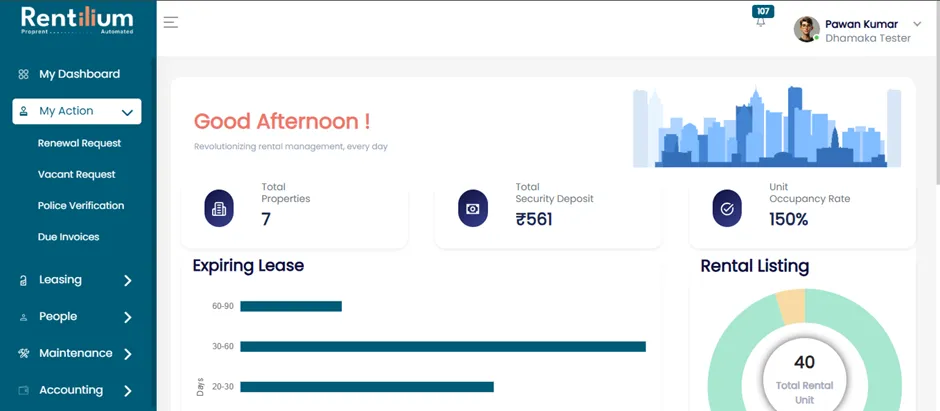
- Now click on the Due Invoice button.
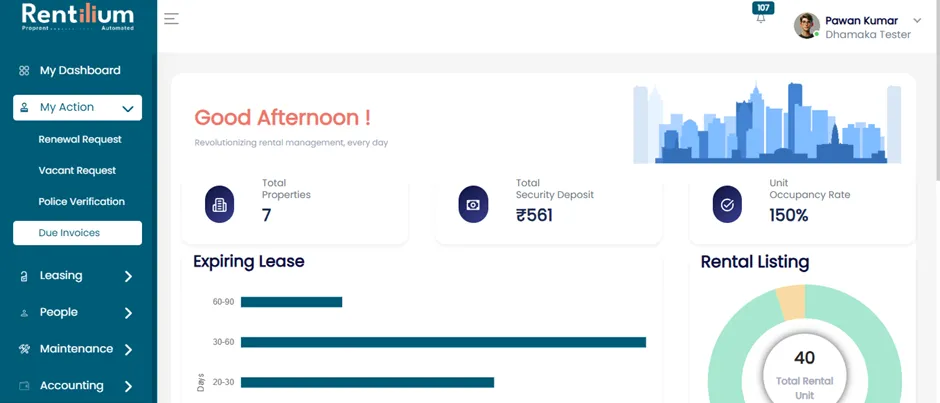
- After clicking on the Due Invoice Button, the Due Invoice page will open.
- Here, you can view all your pending dues or invoices that are yet to be generated.
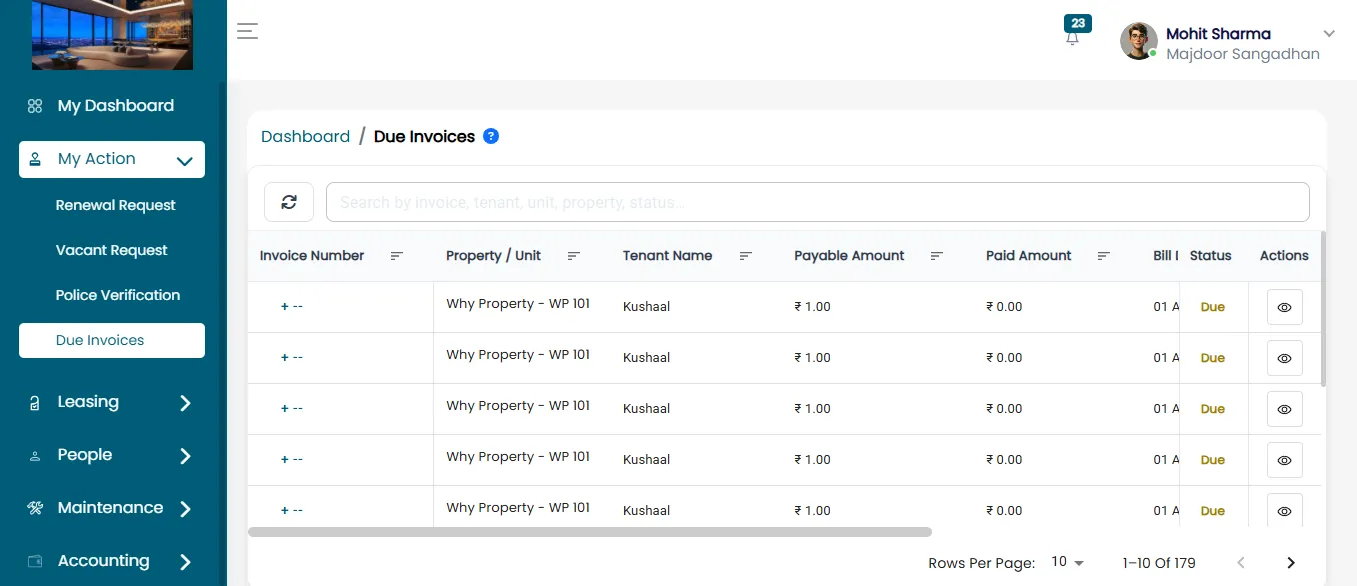
Generate & Download Invoice
- Click on the action button beside the due invoice you wish to address.
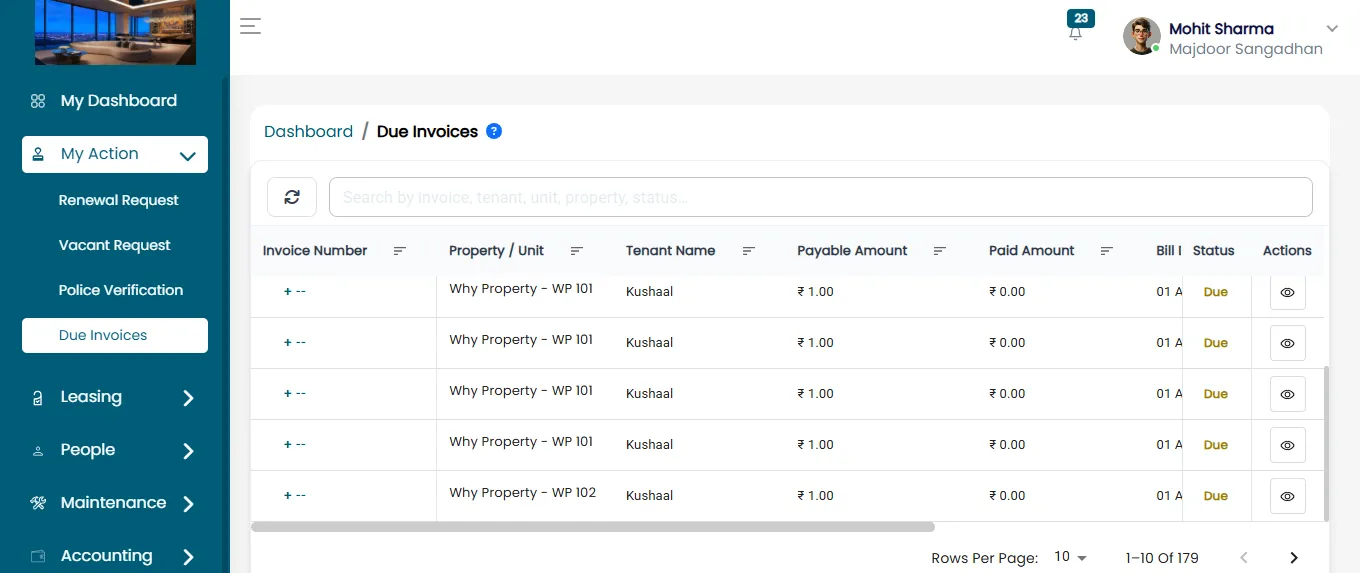
- From the options, select "Generate Invoice". The Invoice Page will open, allowing you to proceed.
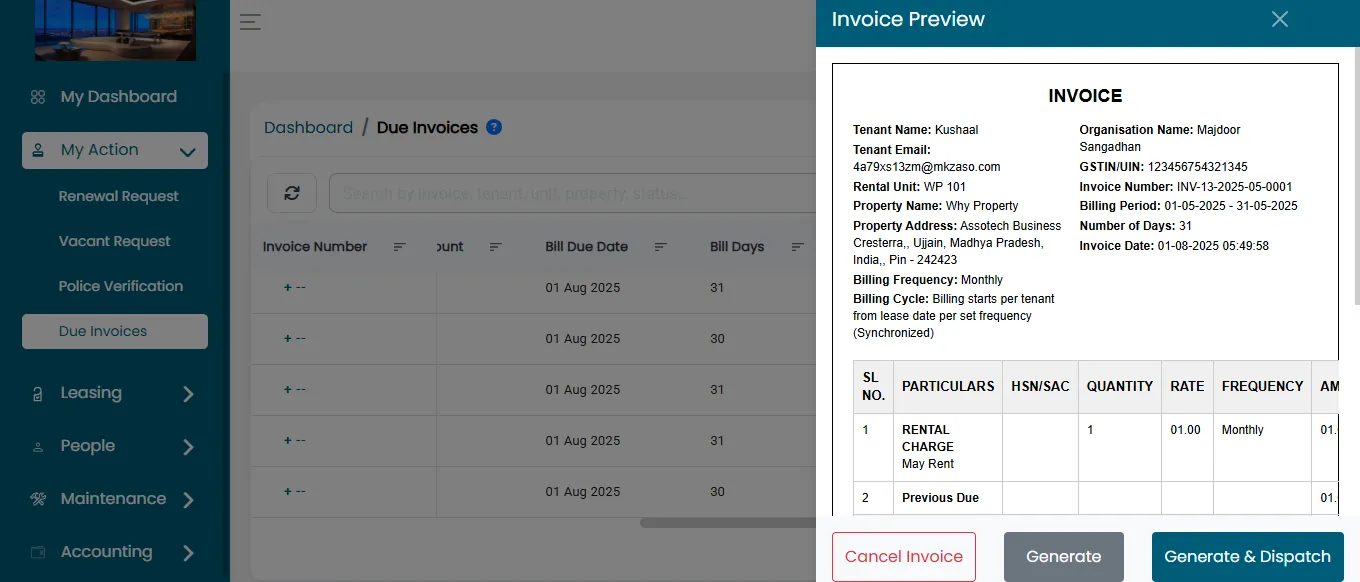
Generate The Invoice
- Click on the "Generate" button. After clicking on the generate button the invoice will be generated successfully.
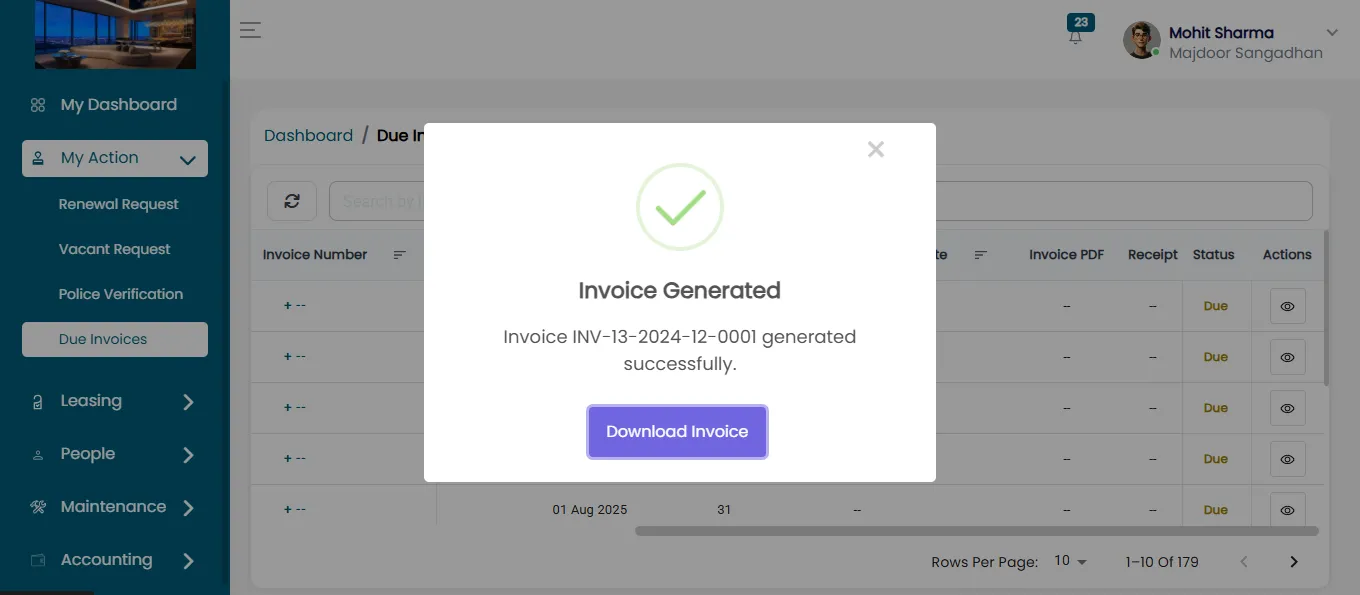
Download The Invoice
- You can download the generated invoice for your records.
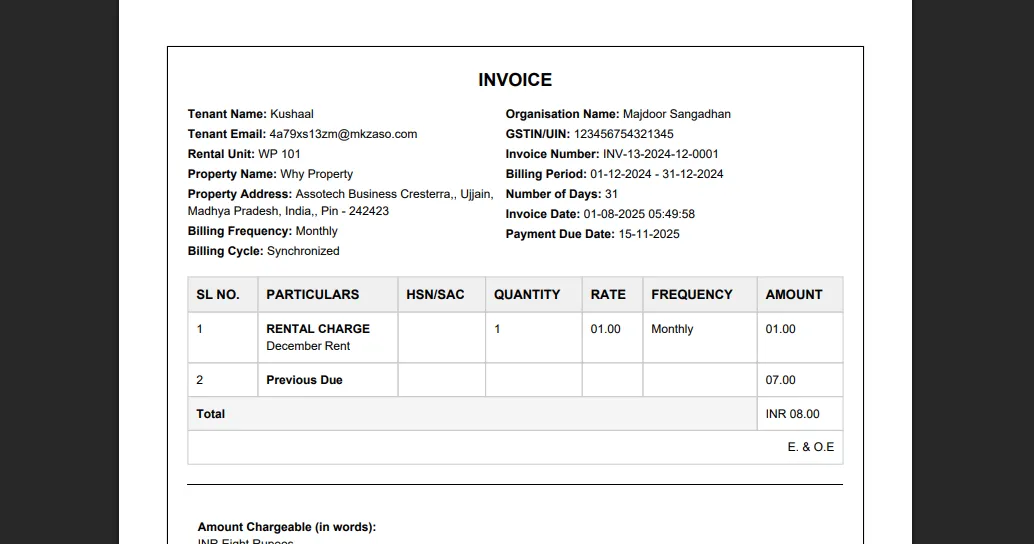
Confirm Invoice Generation
- Once the invoice is successfully generated, your pending due will be cleared.
- The corresponding property will no longer appear in the Due Invoice list.
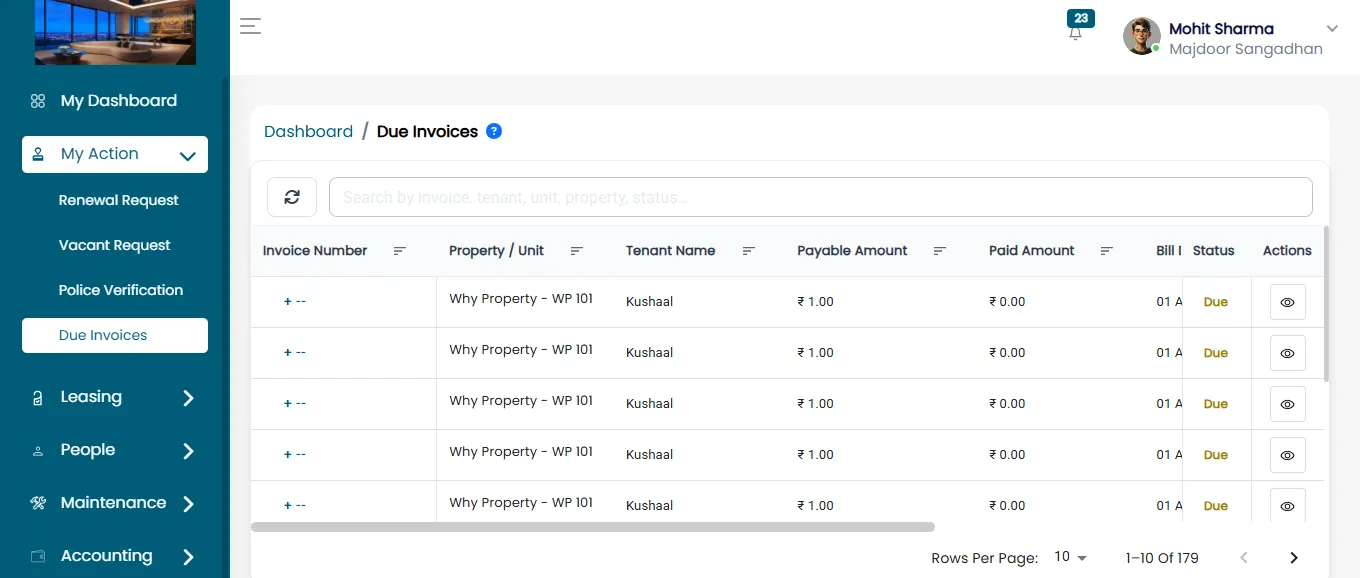
By following the above steps, you can successfully generate invoices and keep your property record updated in the ERP.