Vacant Request
This document discusses the step-by-step initiation and management of a vacate request. Steps for both the tenant and the admin have been discussed to make the move-out smooth, organized, and well-documented. The tenant can submit key dates that will serve as notice to vacate, while on the other hand, the admin gets to review and process this particular request right from their dashboard.
It enables both tenants and property managers to carry out the move-out process successfully.
Tenant Login
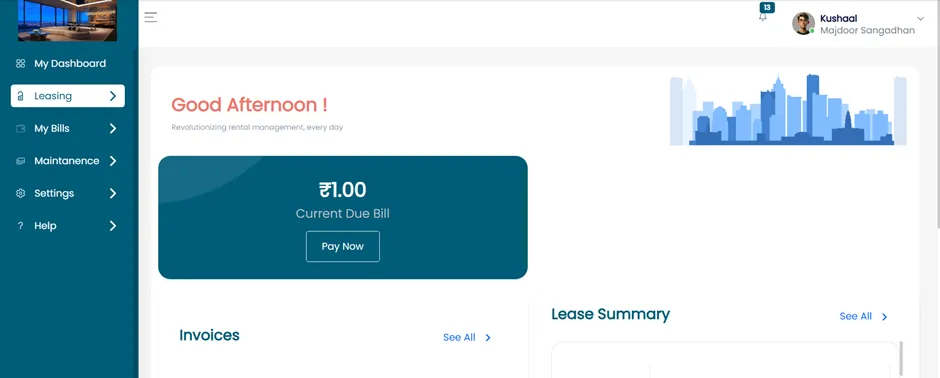
- After logging into your Tenant Account, you will be redirected to the Tenant Dashboard.
- From the dashboard, locate and click on the “Leasing” section.
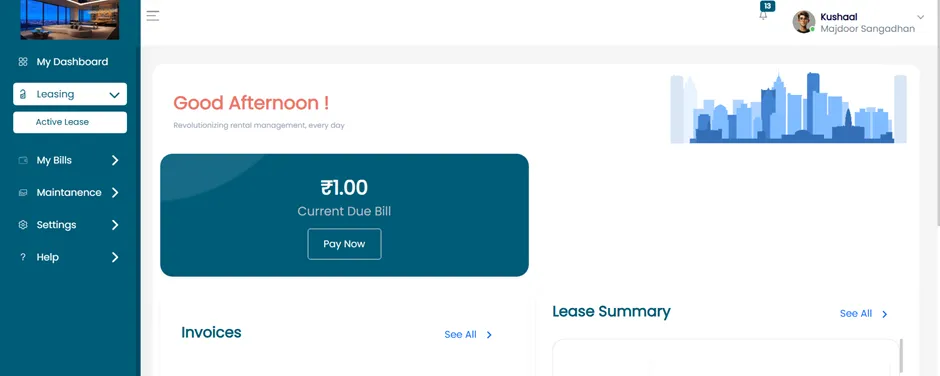
View Active Lease
- Inside the Leasing section, click on the “Active Lease” button.
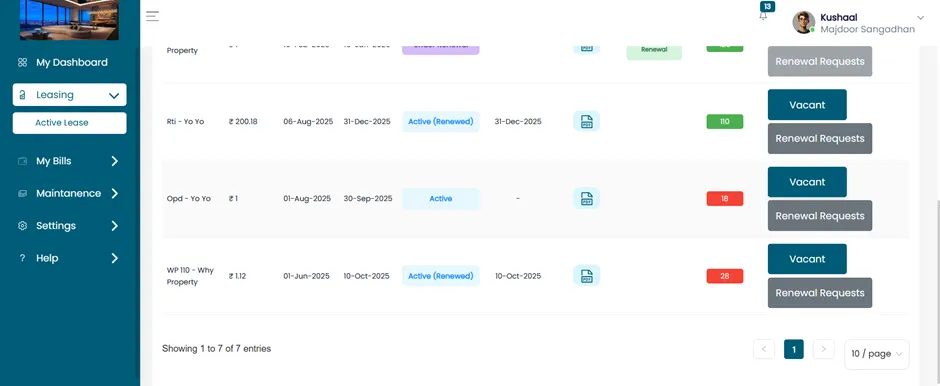
Initiate Vacant Request
- Find the lease/unit you wish to vacate. For example, the unit "Opd - Yo Yo".
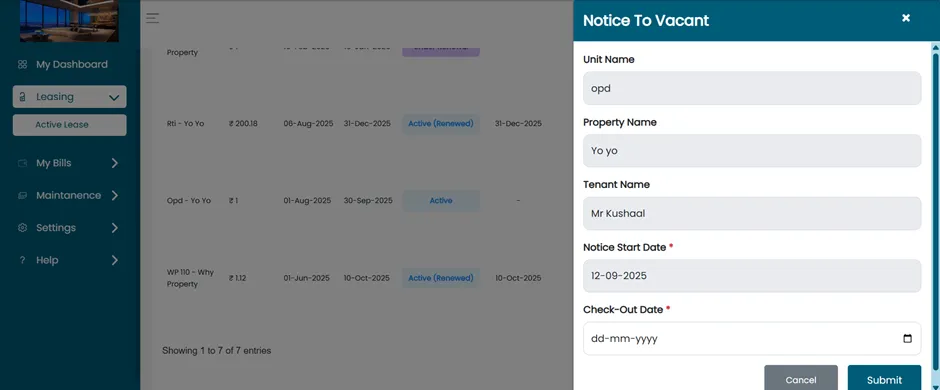
Fill Vacant Request Form
Click on the “Vacant” button associated with that unit.
Once clicked, you will be redirected to the Vacant Details page.
This page will display the following fields:
- Unit Name
- Property Name
- Tenant Name
- Notice Start Date
- Check-out Date
- Fill in all the required information accurately.
Submit The Request
- After completing the form, click on the “Submit” button.
- A confirmation message will appear: “Notice to Vacate requested submitted successfully.”
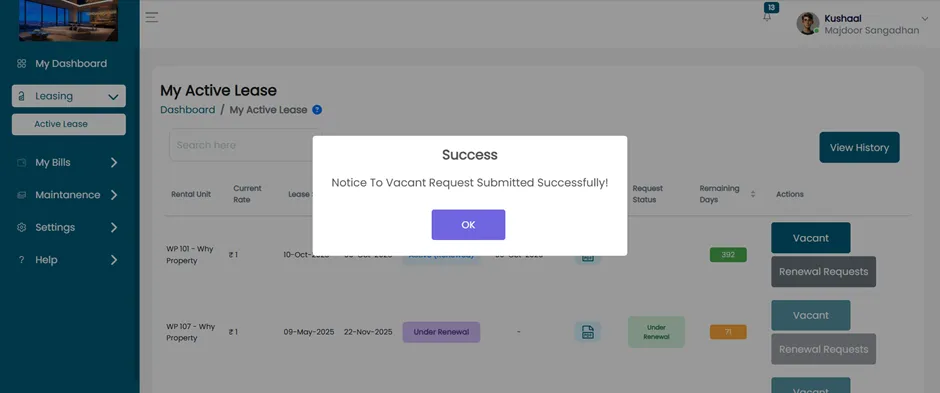
- To review tenant vacate requests, log in to the Admin Dashboard.
Login As Admin
- Login using your Admin Account credentials. You will be directed to the Admin Dashboard.
- On the dashboard, go to the “Leasing” section.
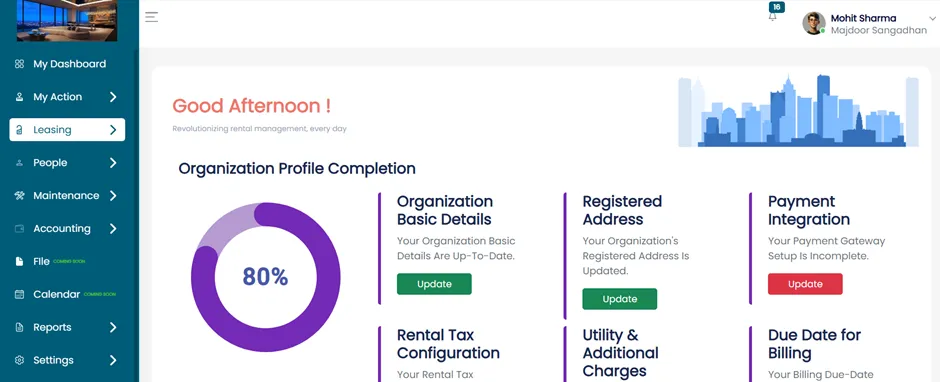
- Click on “Rental Units”.
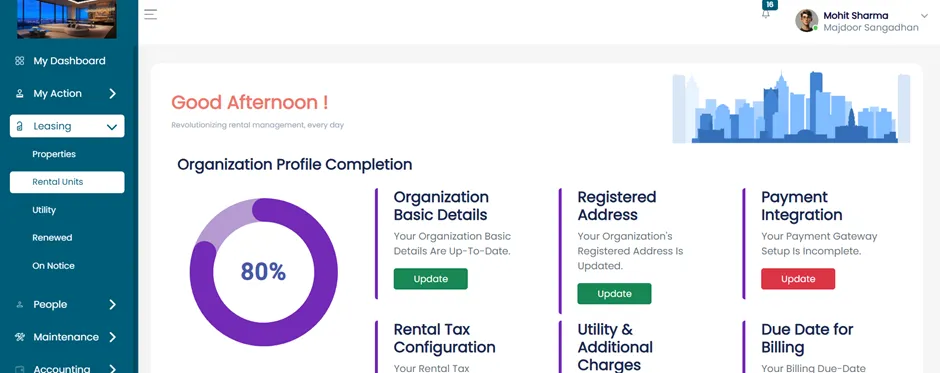
View Rental Unit Categories
Under the Rental Units section, you will find three tabs:
- Active Lease
- Unleased Rental Units
- Draft Rental Units
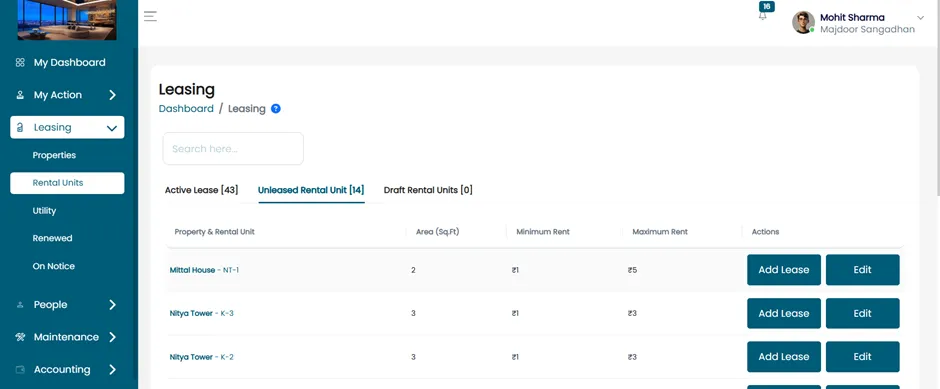
- Click on the “Active Lease” tab to view ongoing leases.
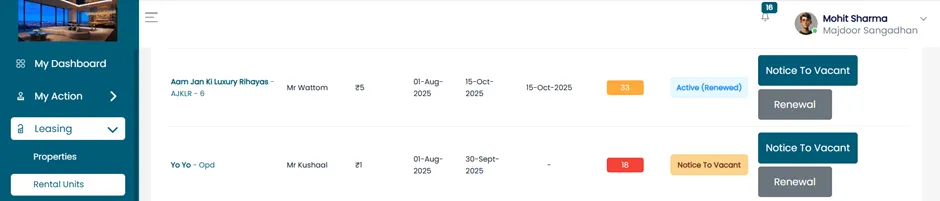
- Locate the unit with a vacant request.
- For example, the tenant “Kushaal” has requested to vacate their unit.
Review Notice to Vacate
- Click on the “Notice to Vacant” button next to the tenant's lease. You will be taken to the Notice to Vacate Details page.
Fill in Notice Details
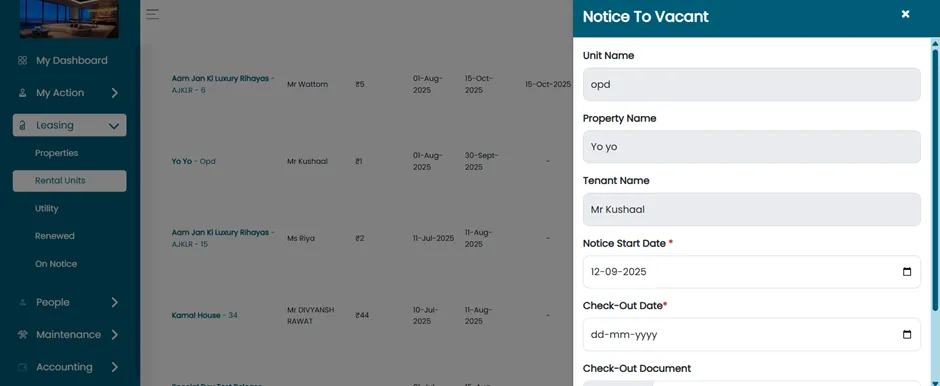
The page will include the following fields:
- Unit Name
- Property Name
- Tenant Name
- Notice Start Date
- Check-out Date
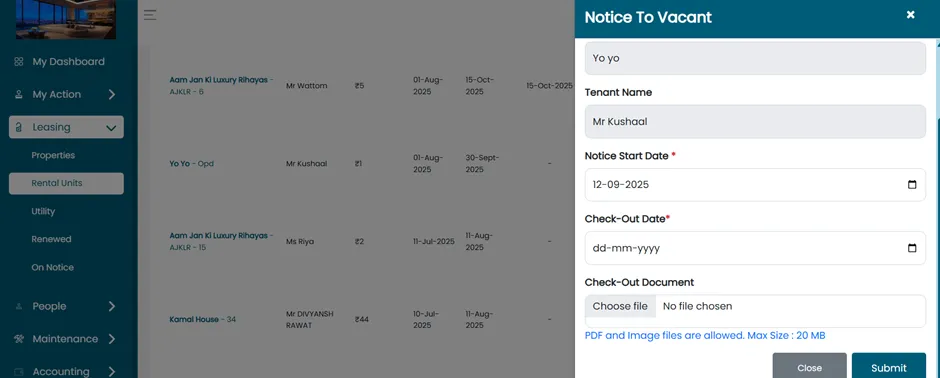
- Check-out Document
Finalize The Request
- After filling out the form, click on the “Submit” button.
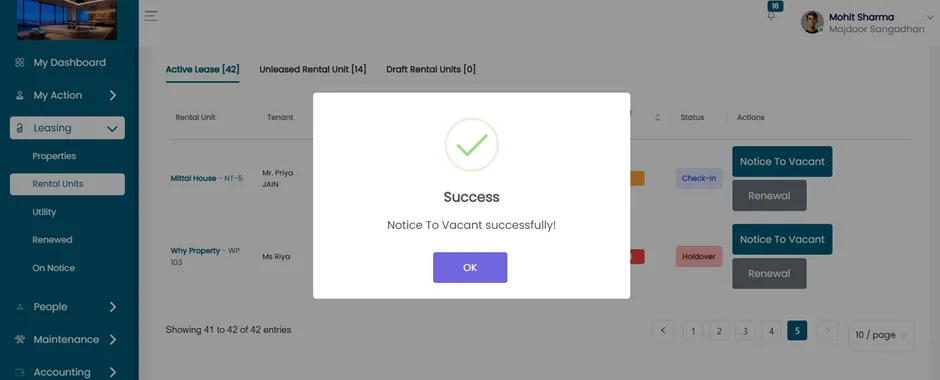
- A success message will be displayed: Notice to Vacant successfully!
This document provides a workflow for both tenants and admins on how to go about vacancy requests that would ensure an organized, transparent, and well-documented move process for all the involved parties.