Invoice Billing Report
3 min
This document outlines the step-by-step process for accessing and exporting billing reports from the ERP. The reports provide comprehensive billing data for properties, tenants, and payment statuses.
Billing Cycle Report Page
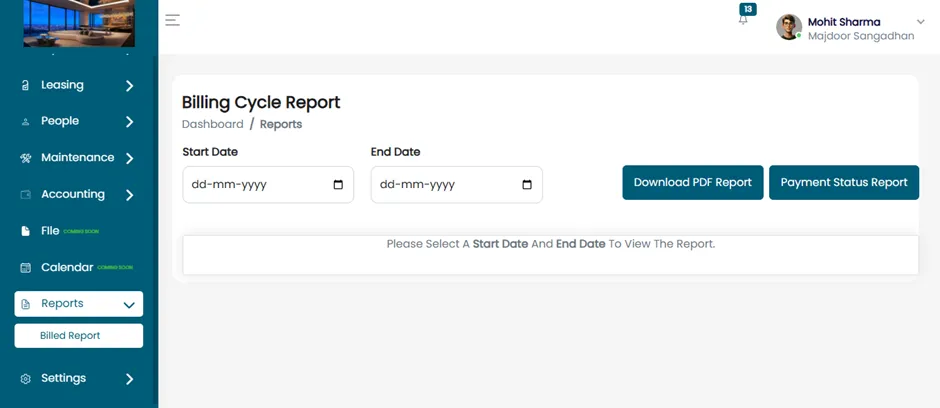
After selecting the Billed Report option, you will be redirected to the Billing Cycle Report page. On this page, you will find two buttons:
- Download PDF Report
- Payment Status Report
Billing Reports
- Specify the Start Date and End Date to filter and view the billing report.
- The system will automatically fetch and display billing data within the specified range.
Displayed Billing Details
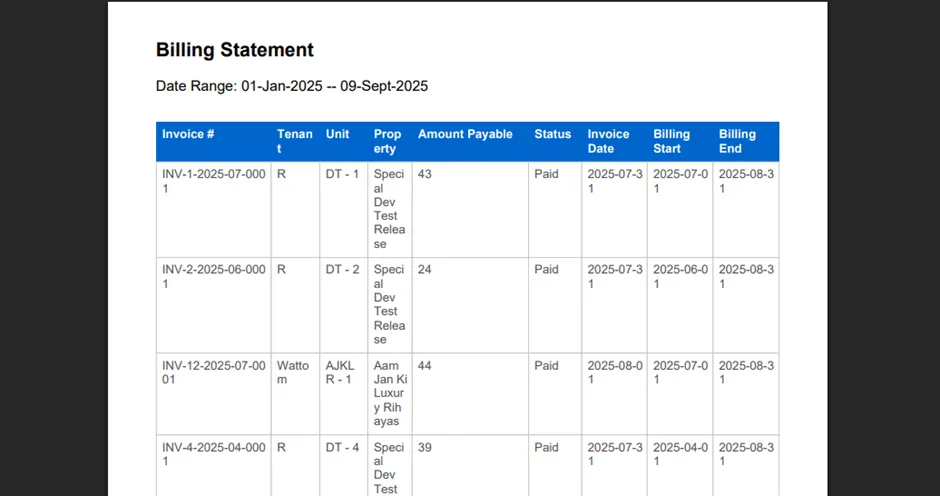
Once the report is generated, the following information will be displayed in a tabular format:
- Invoice Number – Unique identifier for each invoice.
- Tenant Name – Name of the individual or company being billed.
- Unit – The specific rental unit associated with the invoice.
- Property – The building or property where the unit is located.
- Amount Payable – The total amount due for the billing cycle.
- Payment Status – Indicates whether the invoice is Paid, Unpaid, or Partially Paid.
- Invoice Date – Date the invoice was issued.
- Billing Start Date – Beginning date of the billing period.
- Billing End Date – Ending date of the billing period.
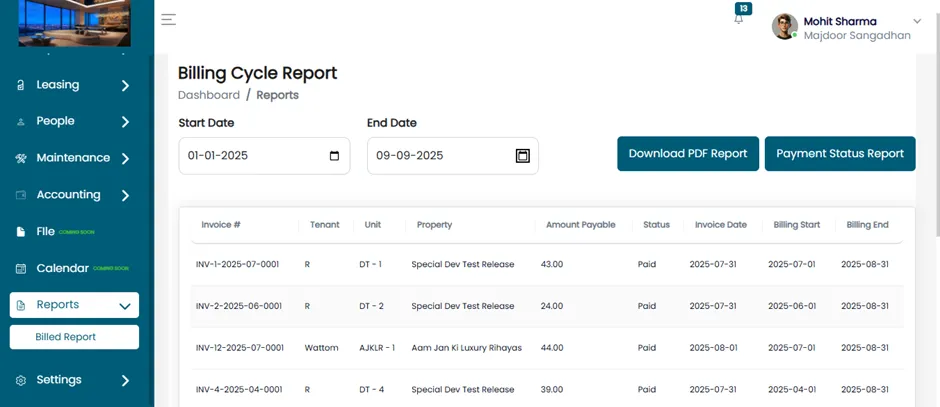
- If the admin wants to download a report, go to the Billing Cycle Report page, click on the "Download PDF Report" button.
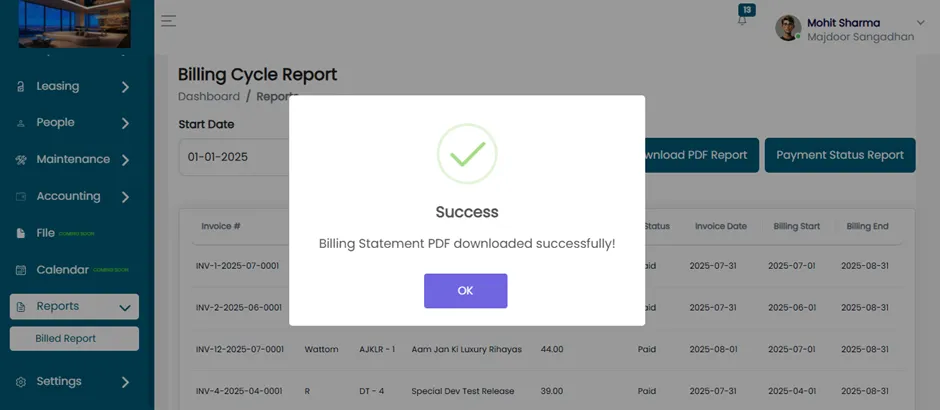
- The system will generate the billing statement based on the selected date range and download it as a PDF file.