Renewed Lease
7 min
The lease renewal option in the Admin Dashboard enables admins to manage tenant lease extensions efficiently. With this feature, admins can update rental details, adjust rent amounts, upload the latest lease agreement, and confirm the renewal with ease. This process ensures that tenant records remain accurate and up to date in the system.
Login to Admin Account
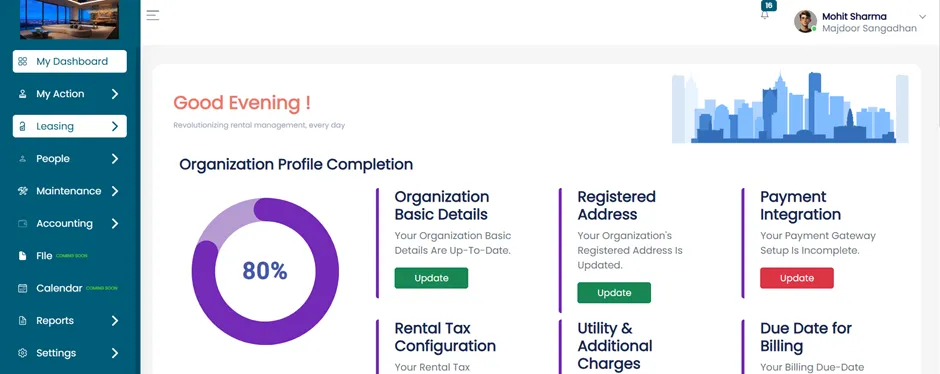
- After successfully logging into your Admin Account, you will be directed to the Admin Dashboard.
- From the dashboard, navigate to the Leasing section to manage tenant leases.
Accessing Rental Units
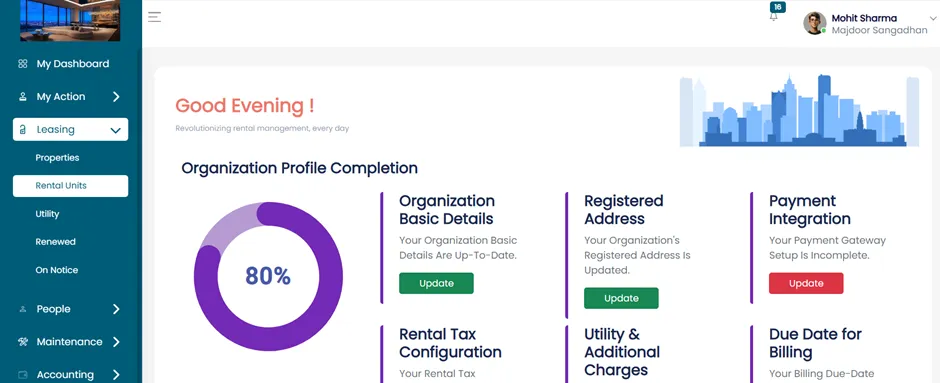
- Within the Leasing section, click on Rental Units.
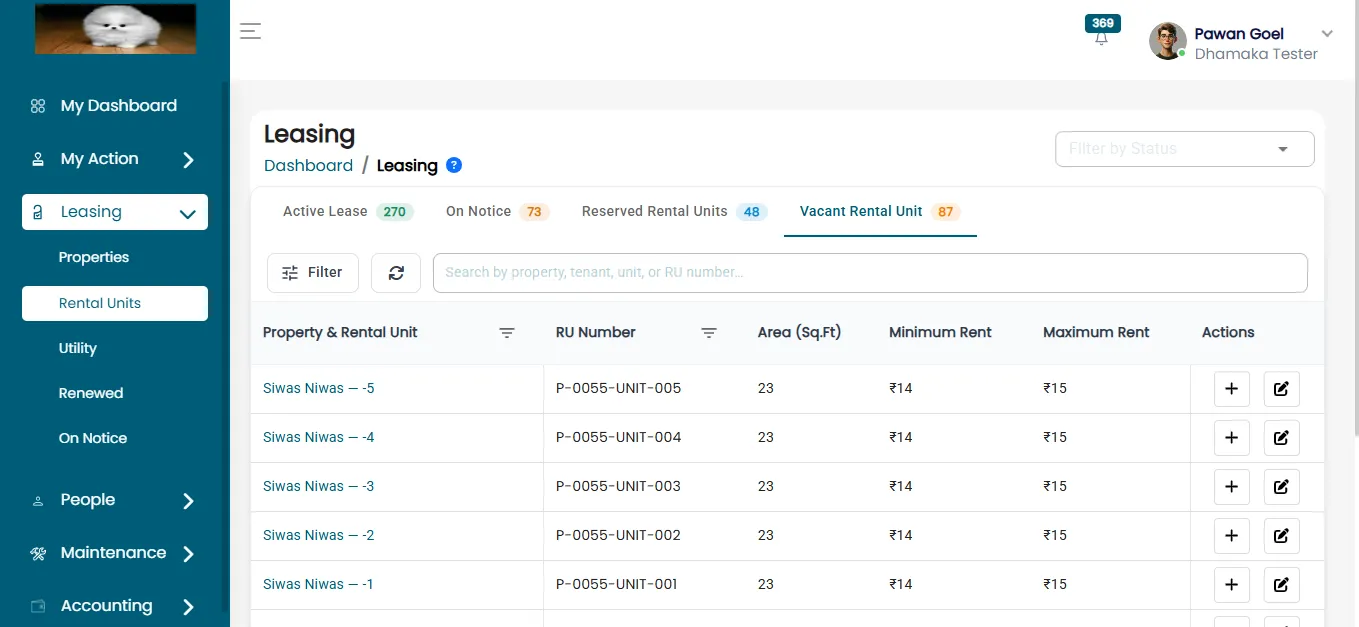
After clicking on Rental Unit, you will find three categories:
- Active Lease
- On Notice
- Reserved Rental Unit
- Vacant Rental Unit
Renewing an Active Lease
- To renew a lease, click on the Active Lease tab.
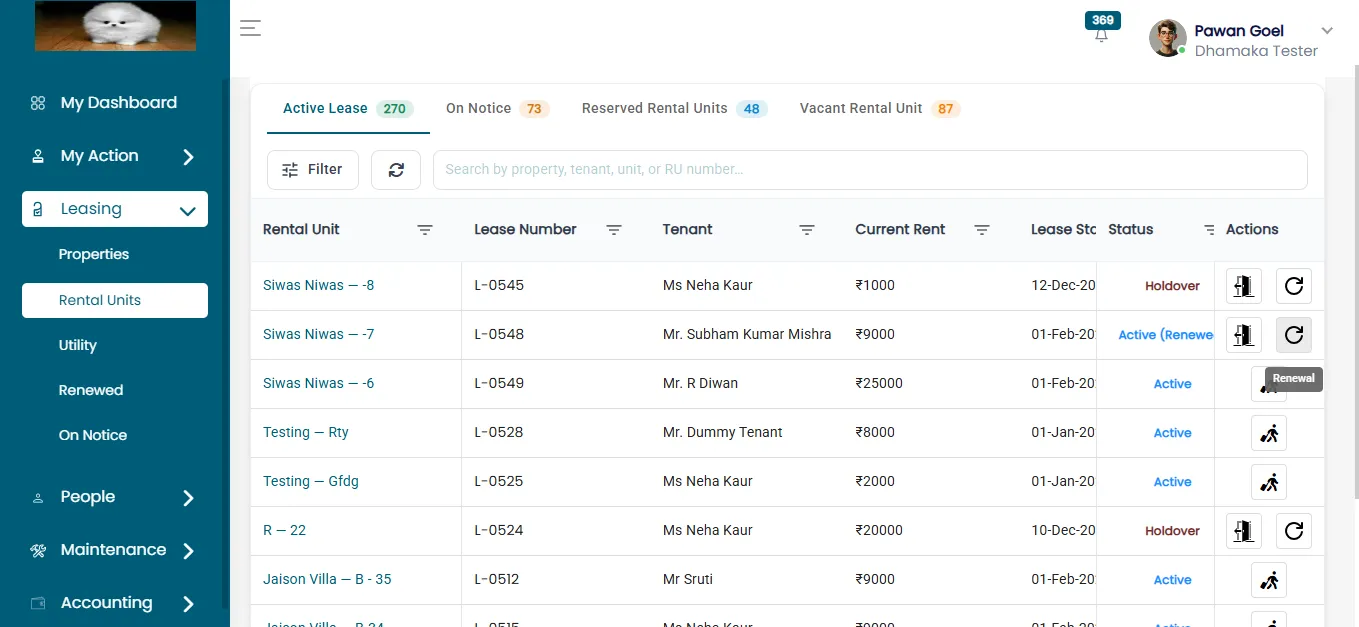
- Select the tenant whose lease is due for renewal.
- Click on the Renewed button.
Filling Renewal Details
- After clicking the Renewed button, the Renewal Details Page will open.
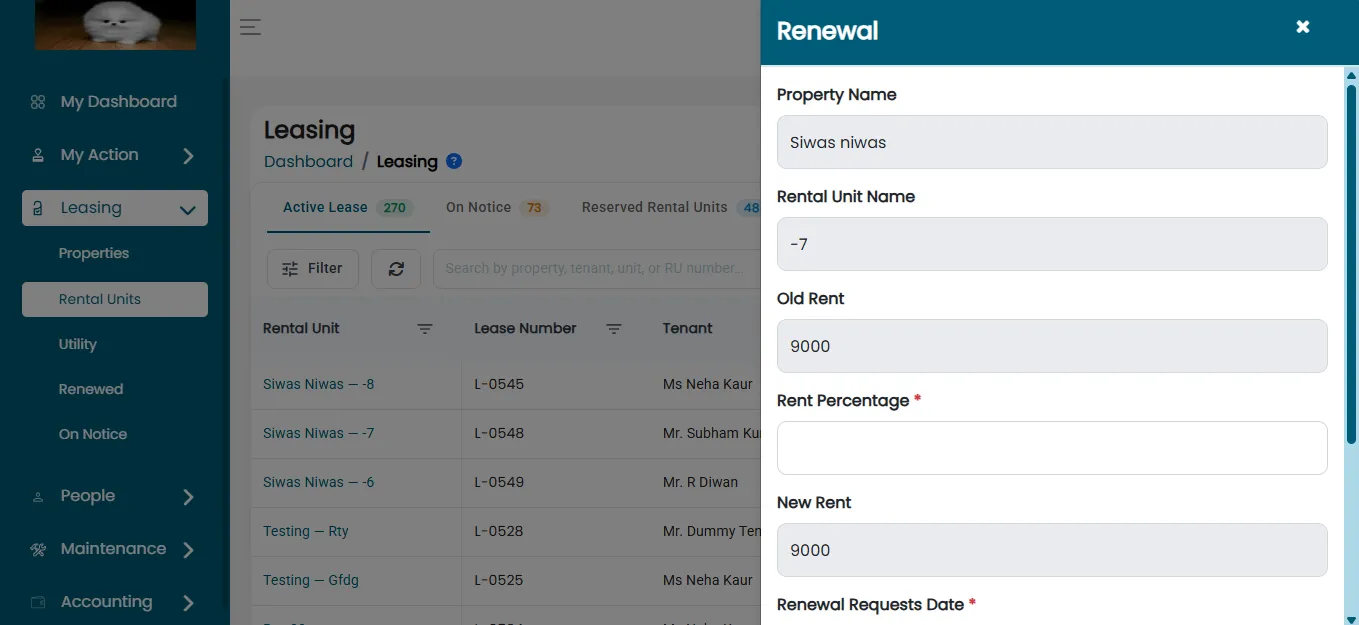
This page will display important information such as:
- Property Name
- Rental Unit Name
- Old Rent
- Rent Percentage
- New Rent
- Renewal Request Date
- Upload Lease Agreement
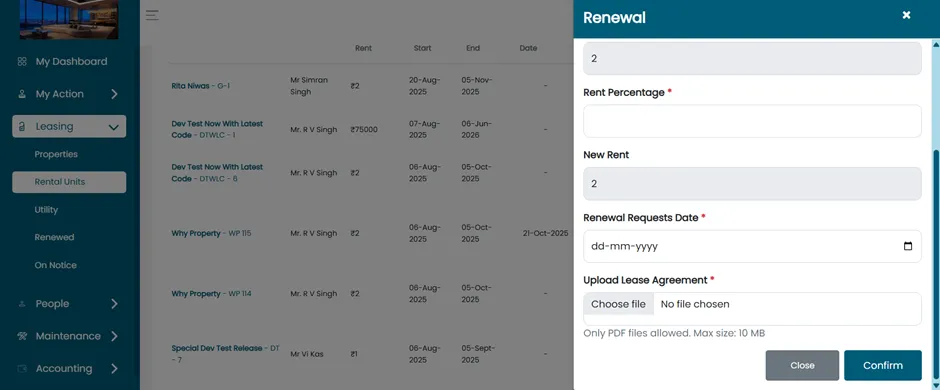
Confirming Renewal
- Review the details carefully. Once all fields are filled in and the lease agreement is uploaded, click on the Confirm button.
- The lease renewal will then be processed successfully.
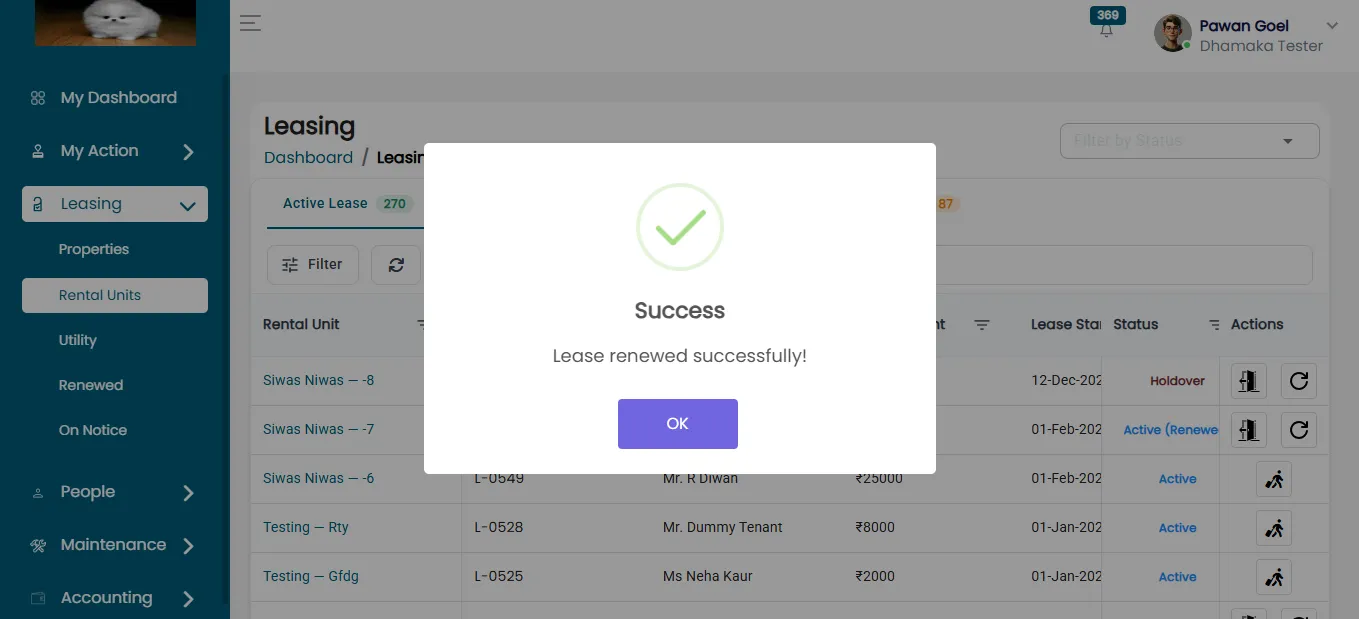
Accessing Renewed Rental Units
Navigate to the Leasing Section
- From the main dashboard, go to the Leasing section. Click on the "Renewed" Tab.
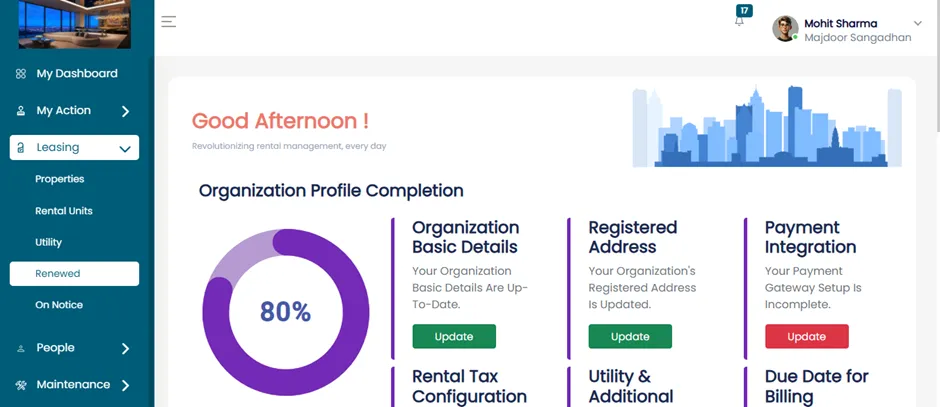
After clicking on Renewed tab, Admins can view detailed information for each renewed rental unit, ensuring proper record-keeping and management.
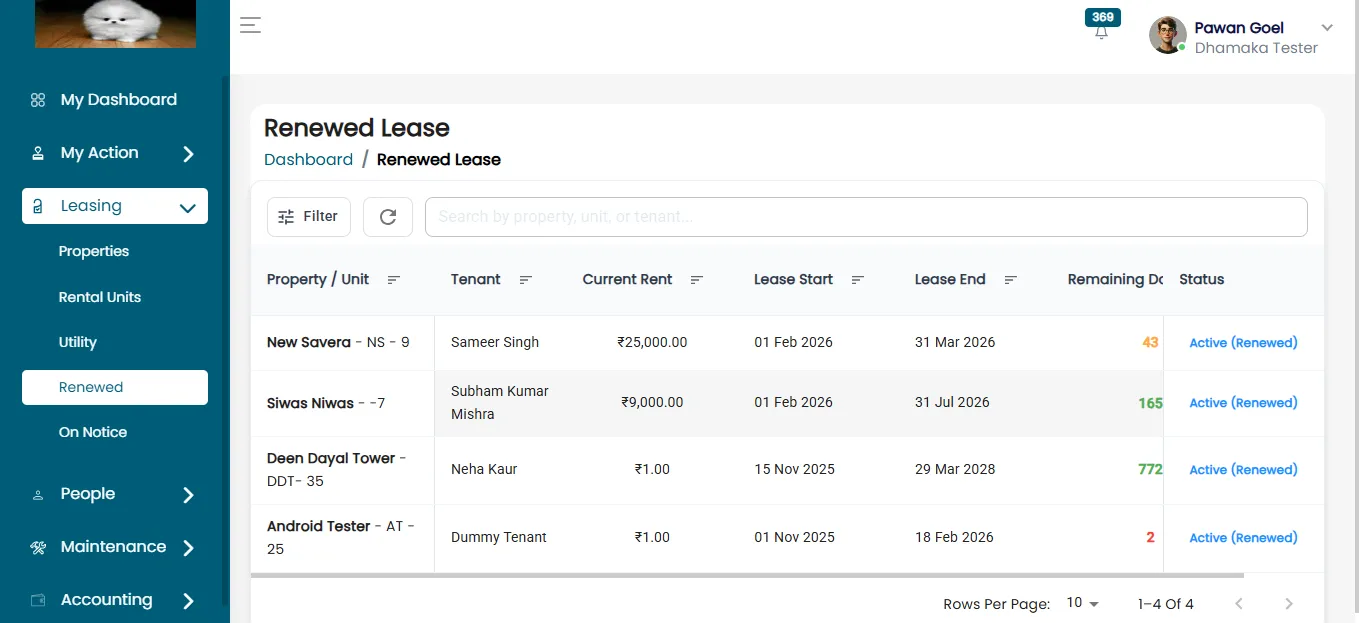
The Admin Dashboard makes lease renewals simple by updating tenant details, uploading agreements, and confirming extensions efficiently.